
SPICE is one of the standard metrics for image captioning - it appears in nearly every captioning paper - yet when I tried to understand how it actually scores a caption, I couldn't find a solid visual explanation anywhere. Unless you read the Java source, the metric is a black box: you see the 0.42, not the parsed propositions behind it. So I broke it down myself. The SPICE & Scene-Graph Evaluation Dashboard runs the metric end to end and shows its work: interactive, force-directed visualizations of every object-relation-object and object-attribute tuple it extracts and matches.
Learn how it works in a blog I wrote from understanding the research papers.
05.03.2026 Update - Version 2
After almost a year, I updated to version 2 of this tool and deployed it on Hugging Face Spaces for dry runners and demo purposes. If you want a hands-on experience, check out the GitHub repository.
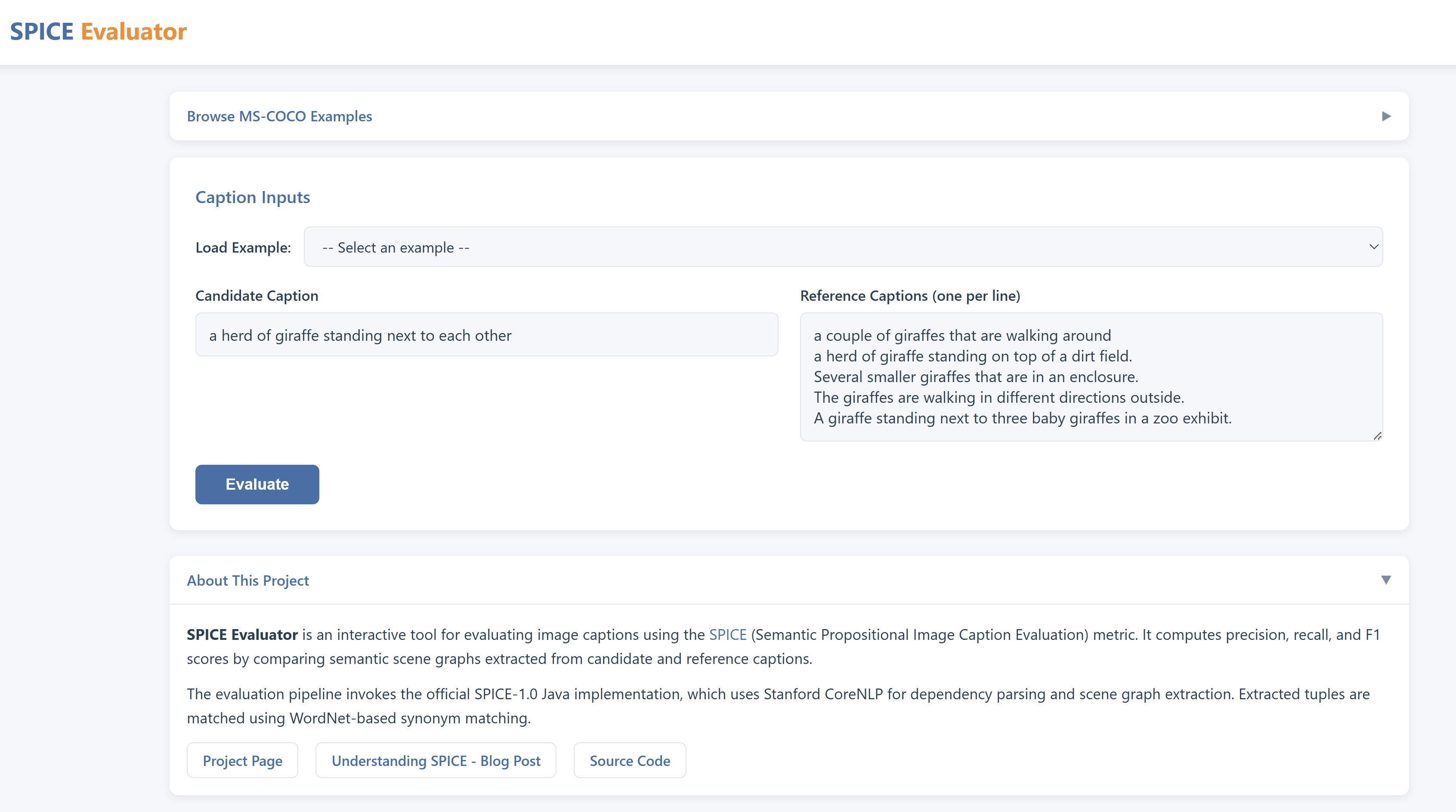
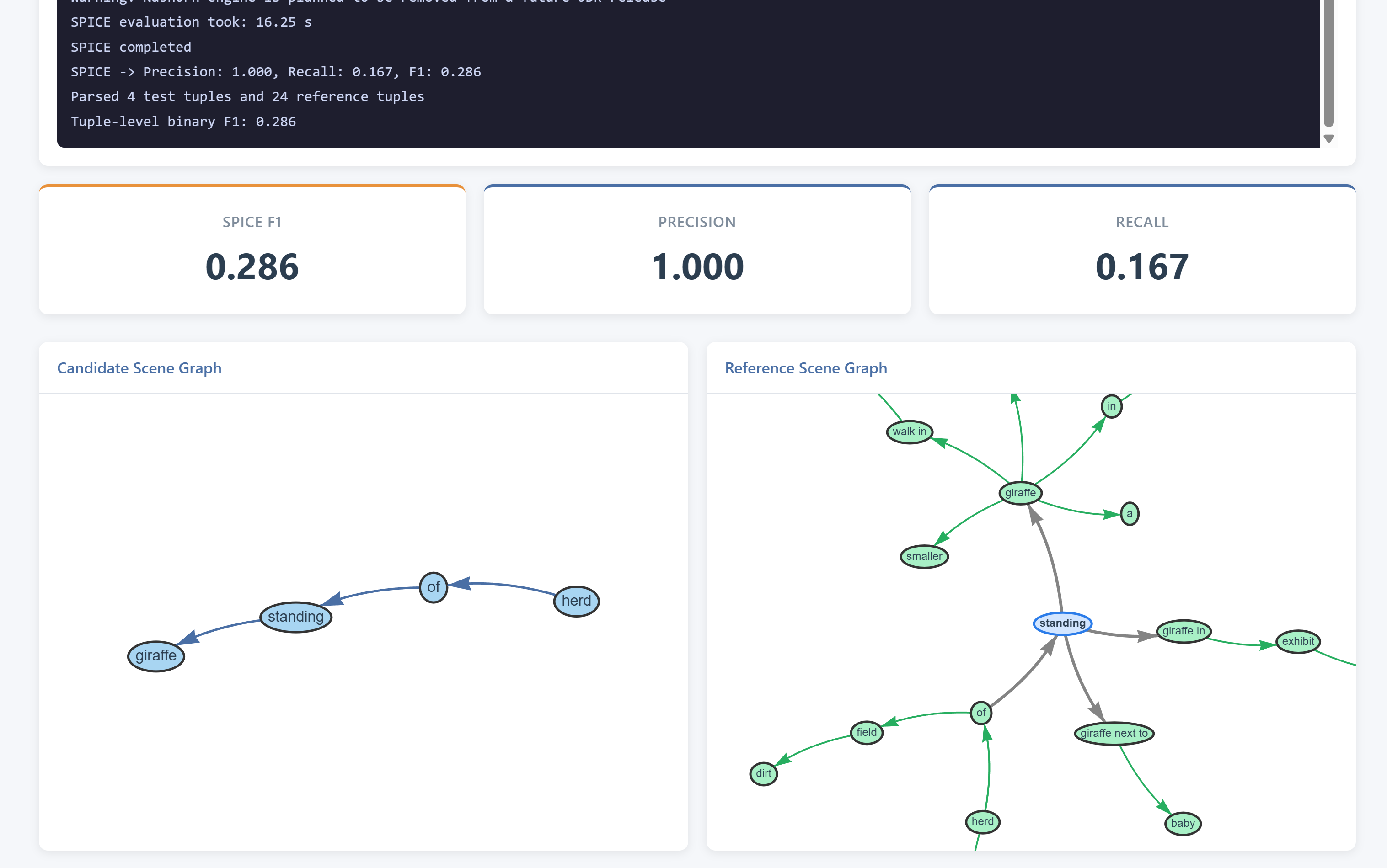
Version 2 interface with enhanced scene-graph visualization and SPICE metrics.
How SPICE Works
SPICE (Semantic Propositional Image Caption Evaluation) measures how well a candidate caption captures the same meaning as one or more reference captions by breaking each sentence into atomic "facts" and comparing them. It proceeds in four main stages:
- Each caption is processed by Stanford CoreNLP, which performs tokenization, part-of-speech tagging, and builds a dependency parse tree.
- The tree makes explicit grammatical relationships (e.g., which word is the subject of a verb, which adjective modifies which noun).
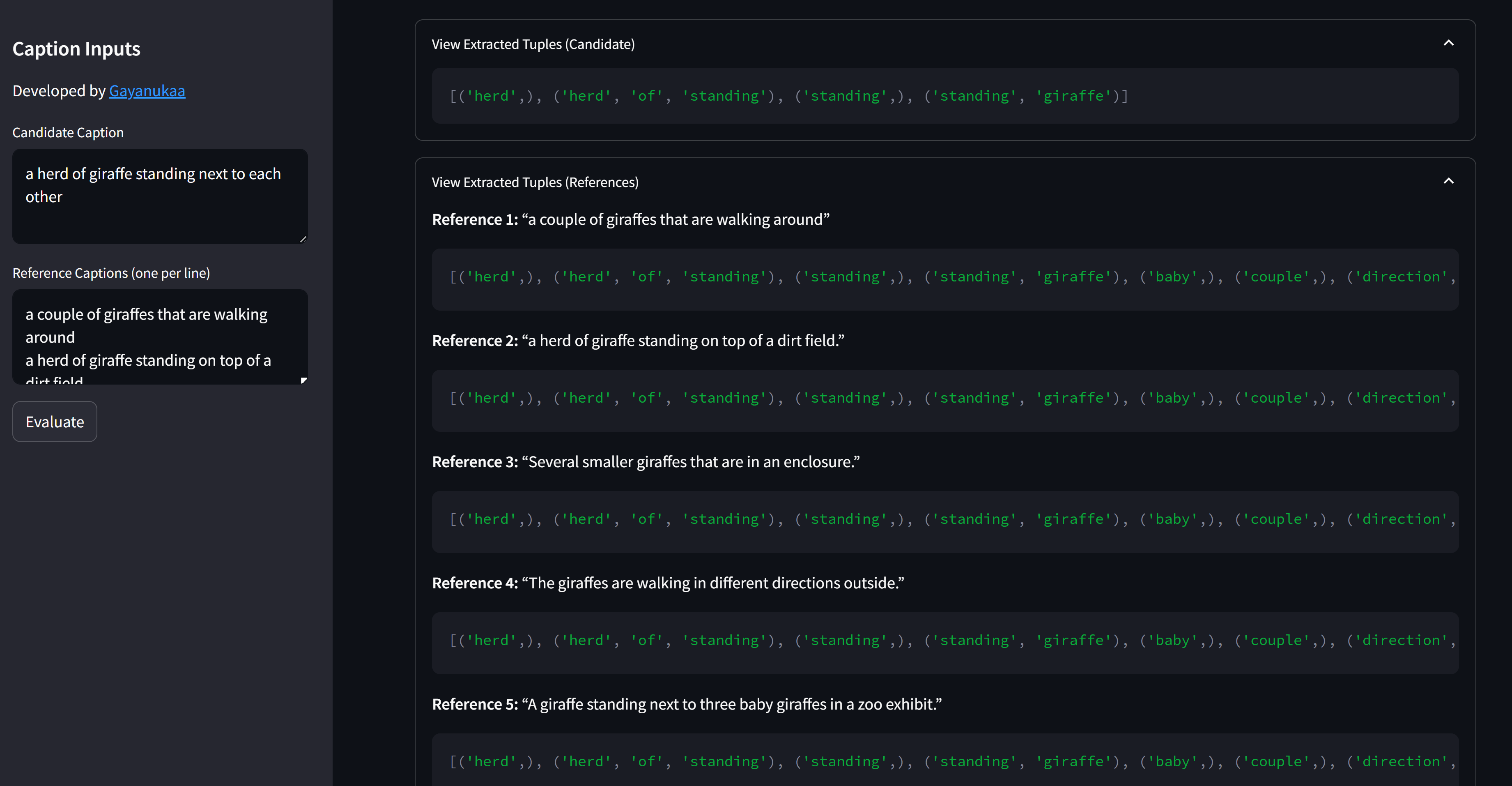
- From the dependency tree, SPICE extracts two types of tuples:
- Object-Attribute pairs, e.g.
("dog", "brown") - Subject-Relation-Object triples, e.g.
("dog", "running_in", "park")
- Object-Attribute pairs, e.g.
- Each tuple represents a single, discrete proposition about the scene described.
- SPICE aligns the candidate's tuples with those from the reference(s):
- Exact string match (e.g. "park" ↔ "park")
- WordNet synonym match when labels differ (e.g. "dog" ↔ "canine")
- This ensures semantically equivalent facts are paired-even if different words are used.
- Tool reveals the raw tuples it found in your captions.
- Precision = matched candidate tuples ÷ total candidate tuples
- Recall = matched reference tuples ÷ total reference tuples
- F₁ = 2 × (Precision × Recall) ÷ (Precision + Recall)
- These scores reflect how accurately (precision) and completely (recall) the candidate caption covers the reference's semantic content, with F₁ as the harmonic mean.
1. Dependency Parsing
2. Semantic Tuple Extraction
3. Tuple Alignment with WordNet
4. Precision, Recall & F₁ Computation
Once tuples are extracted, they can be viewed as an interactive scene graph.
- Nodes represent objects or attributes.
- Edges represent relations or the "has_attr" link.
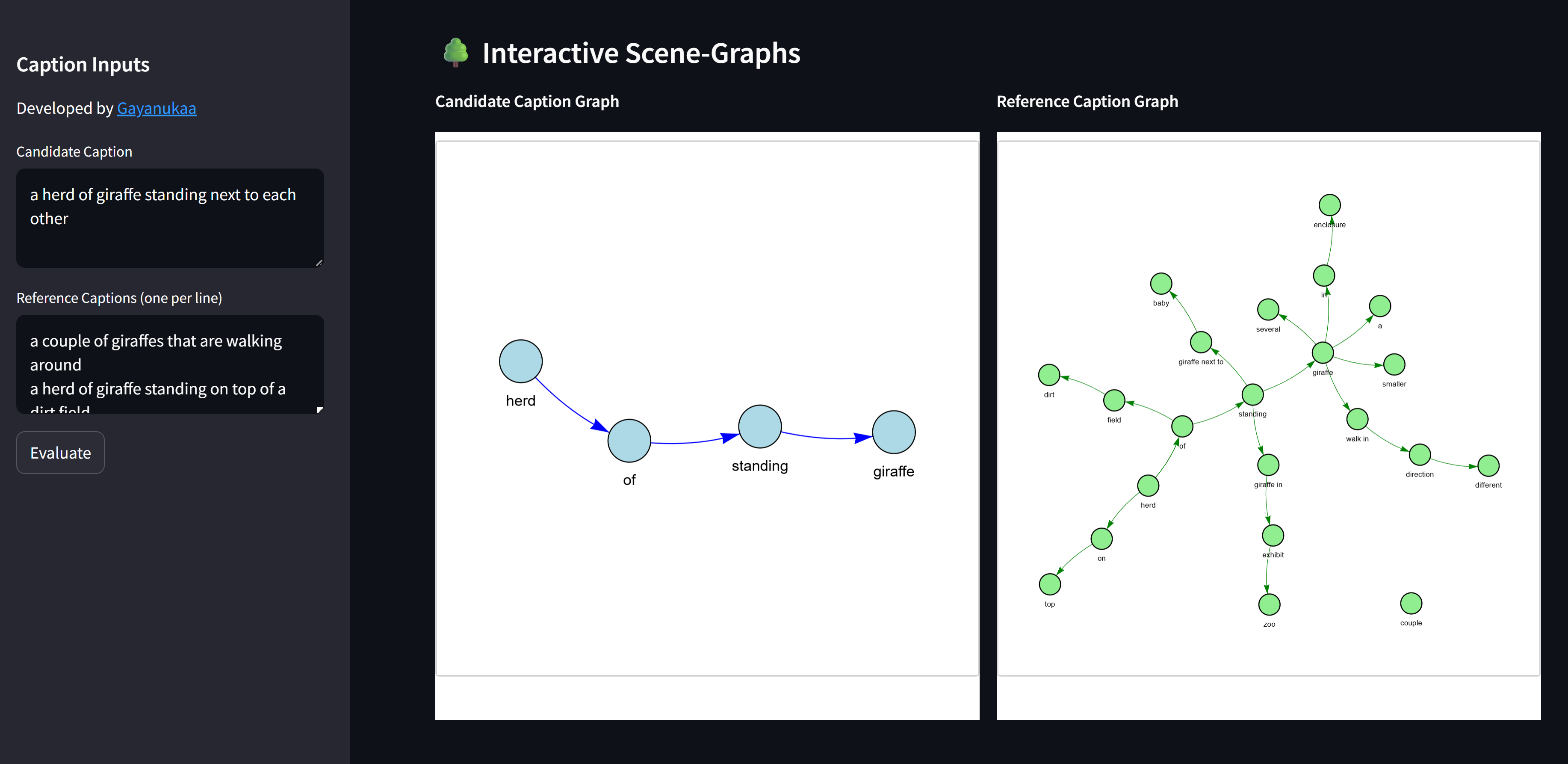
PyVis graphs for the candidate caption (left) and reference caption (right).
Build choices
The one decision that mattered most: the dashboard wraps the official SPICE-1.0 implementation (Java + Stanford CoreNLP) rather than re-implementing the metric in Python. A tool that explains SPICE is only trustworthy if it computes exactly what the papers compute - so the Java pipeline does the scoring, while Python and Streamlit orchestrate it, PyVis and NetworkX render the tuples as interactive force-directed graphs, and NLTK WordNet supplies the optional synonym matching for tuple-level evaluation.
Installation & Setup
For detailed installation and setup instructions, please refer to the instructions in the SPICE-Evaluator repository.
References
[1] P. Anderson, B. Fernando, M. Johnson, and S. Gould, "SPICE: Semantic Propositional Image Caption Evaluation," arXiv preprint arXiv:1607.08822, Jul. 2016. [Online]. Available: https://arxiv.org/abs/1607.08822
For full code, examples, and configuration, see the SPICE-Evaluator GitHub Repository.