
Between a digital scan of a patient's jaw and the manufacture of a prosthetic sits an unautomated step: someone has to determine which abutment - the connector between implant and crown - fits each implant, by inspecting geometry and orientation in CAD software. It is skilled, repetitive work sitting in the middle of an otherwise digital pipeline.
The Abutment Matching Pipeline is a proof of concept, built on private clinical scan data, testing whether that step can be automated end to end with 3D computational geometry: take a segmented jaw scan, identify each implant, analyze its geometry and orientation, and match it against a component library with orientation-accurate alignment.
This project is developed using private data and is designed to be extensible for industry use cases, research initiatives, and potential product development. If you're interested in exploring collaborations or adapting this work for real-world applications, feel free to reach out to discuss possibilities.
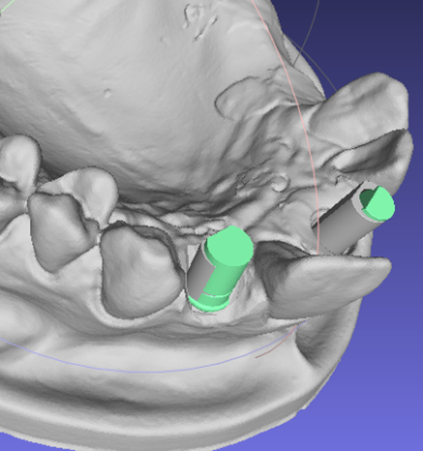
Segmented jaw scan with color-coded implants, teeth, and tissue structures.
Why classical geometry, not a learned model
Two constraints ruled out the fashionable approach. A proof of concept working from a limited pool of private scans has nowhere near the data to train a segmentation network - and in a clinical workflow, an opaque model is a liability. A classical computational-geometry pipeline is data-efficient and inspectable at every stage: when an implant is clustered, matched, or aligned, you can render exactly why. Open3D provided both the mesh processing and the interactive visualization to make that inspection routine.
The pipeline
- Isolate the scanbody regions from the full jaw model
- Cluster the implants, separating them from teeth and tissue
- Match each external implant against a compatible component from the STL library
- Replace with the new implant using orientation-accurate spatial alignment
Seeing every stage
Because the whole argument for this approach is inspectability, visualization is part of the pipeline rather than an afterthought:
- Interactive 3D Viewer: Built with Open3D's visualization module for real-time mesh inspection
- Color-Coded Meshes: Different colors for implants, teeth, tissue, and labels
- Numbered Labels: 3D text meshes positioned above implants for clinical identification
- Multi-View Rendering: Support for different camera angles and perspectives
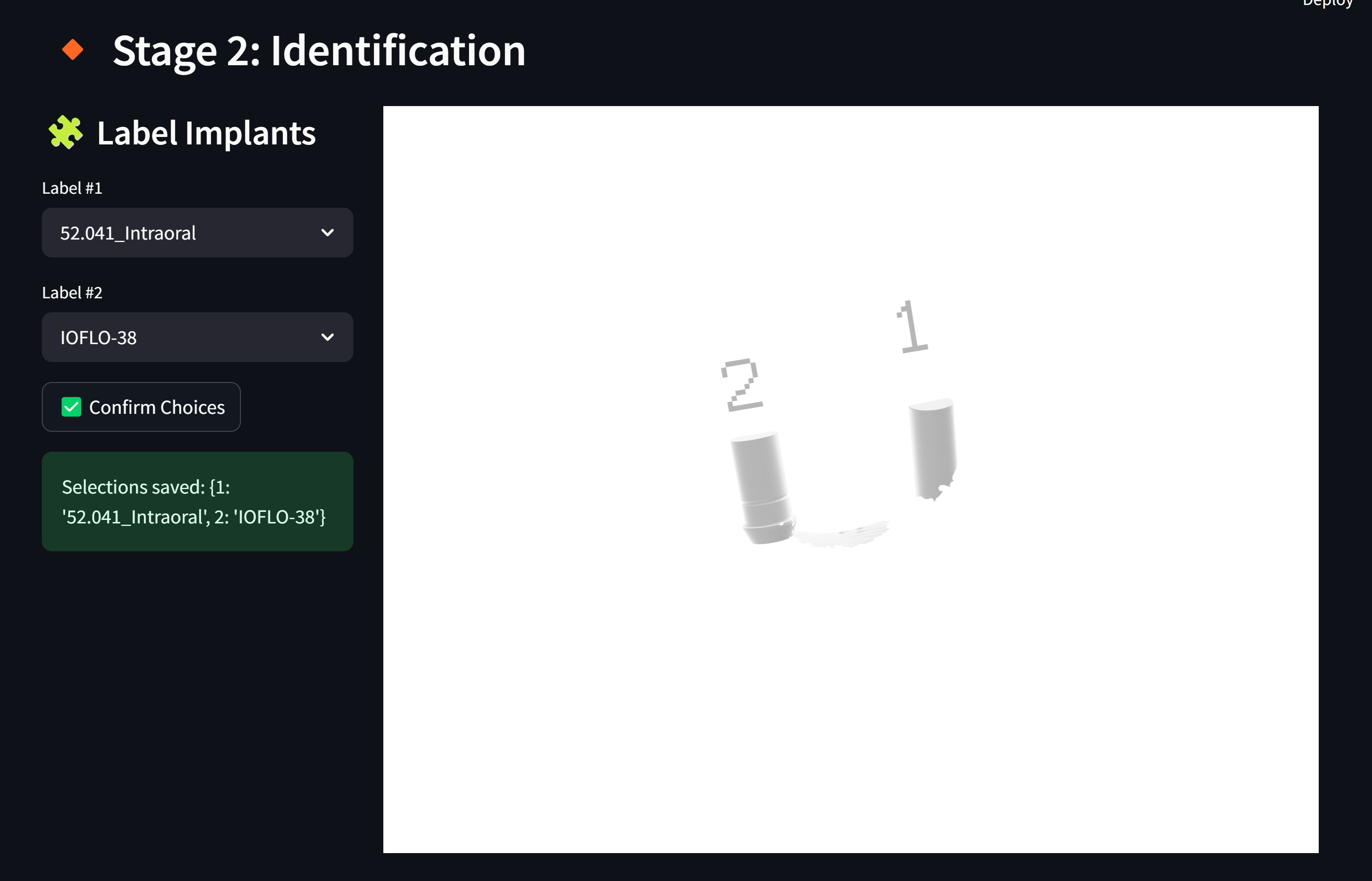
Interactive 3D visualization with color-coded meshes and oriented bounding boxes.
Where this leads
- Digital Dentistry: Automated prosthetic component selection straight from dental scans
- Treatment Planning: Precise implant positioning and orientation analysis
- Quality Assurance: Validation of implant placement accuracy
- CAD/CAM Integration: A bridge between scanning and manufacturing workflows